Next Day Delivery (NDD) – Help Guide
What is Next Day Delivery?
Next Day Delivery (NDD) is a premium shipping service that enables delivery of eligible shipments by the next calendar day, subject to pickup cut-off times and serviceable origin–destination routes.
NDD is designed for businesses that require faster delivery and improved customer experience.
Who can use NDD?
NDD is available for:
- Eligible clients.
- Serviceable origin and destination pincodes.
- Shipments created before the daily pickup cut-off time.
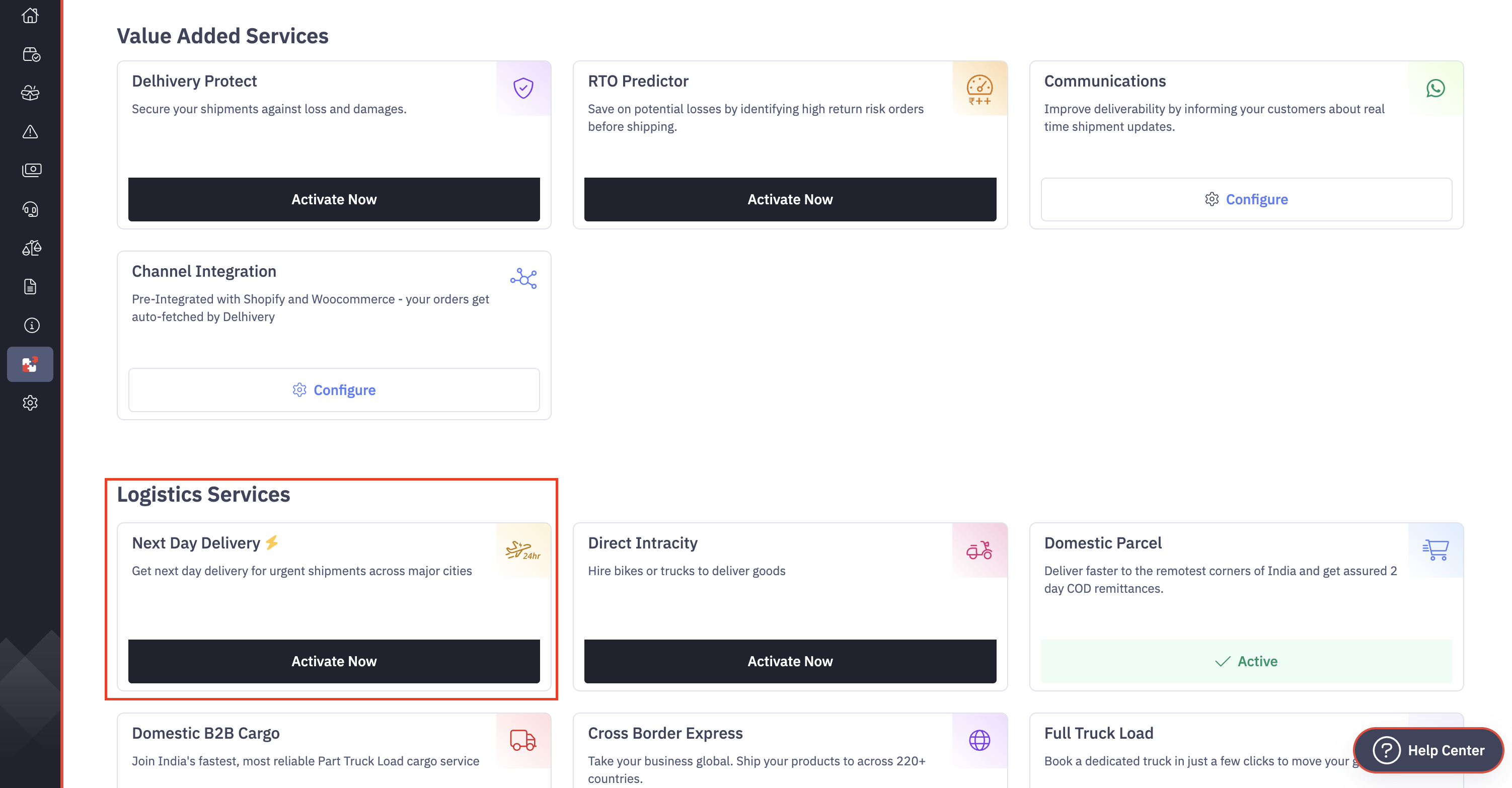
If your account is eligible, you will see the option to activate NDD on Delhivery One Services Page.
How to activate NDD
Follow these steps to activate NDD on your account:
- Log in to Delhivery One.
- Go to Services from the main menu.
- Select Next Day Delivery (NDD).
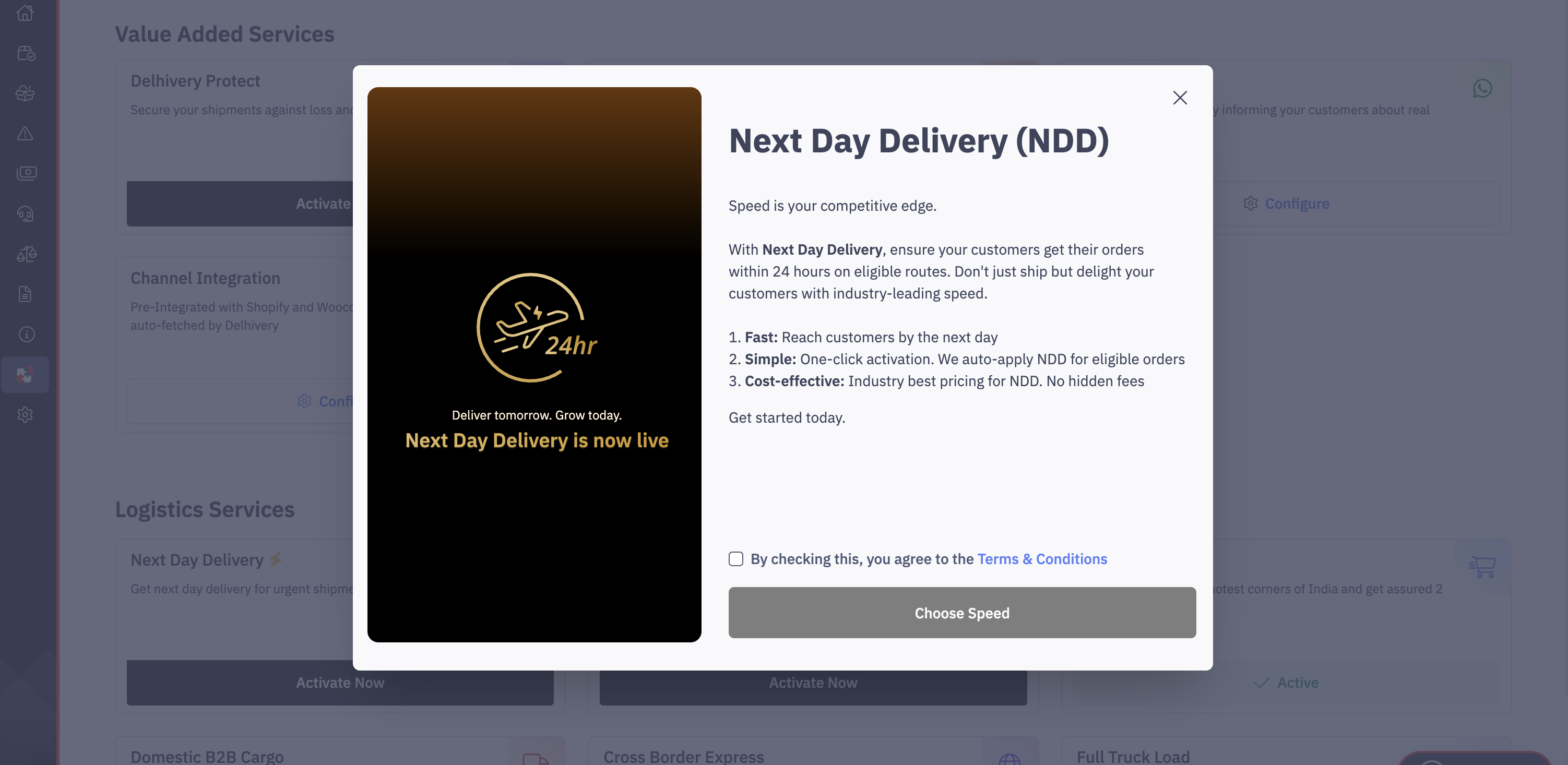
- Review the service details.
- Sign the NDD service addendum.
- Once signed, the service will be activated on your account.
What happens after activation
Once NDD is activated:
- You can start creating NDD shipments.
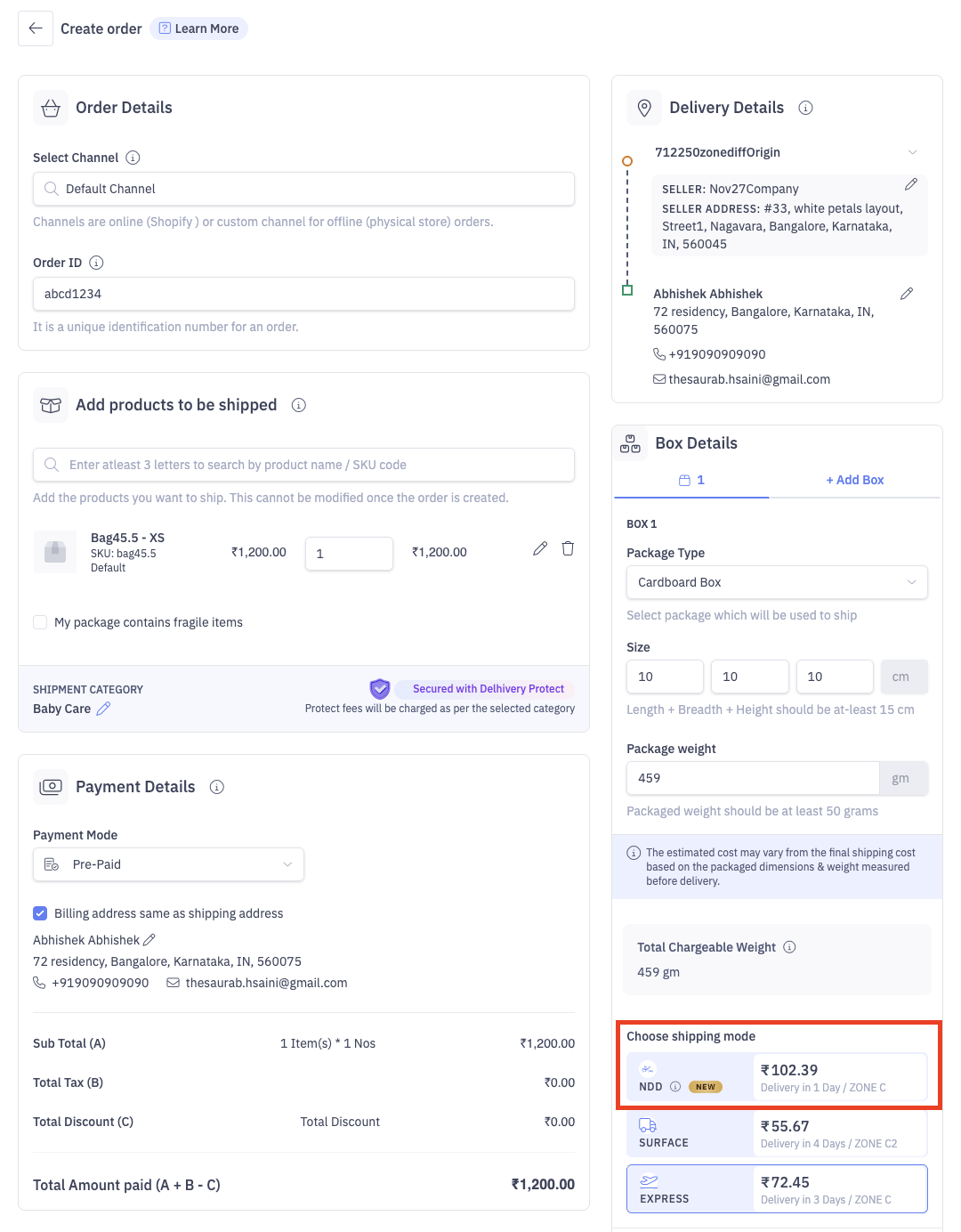
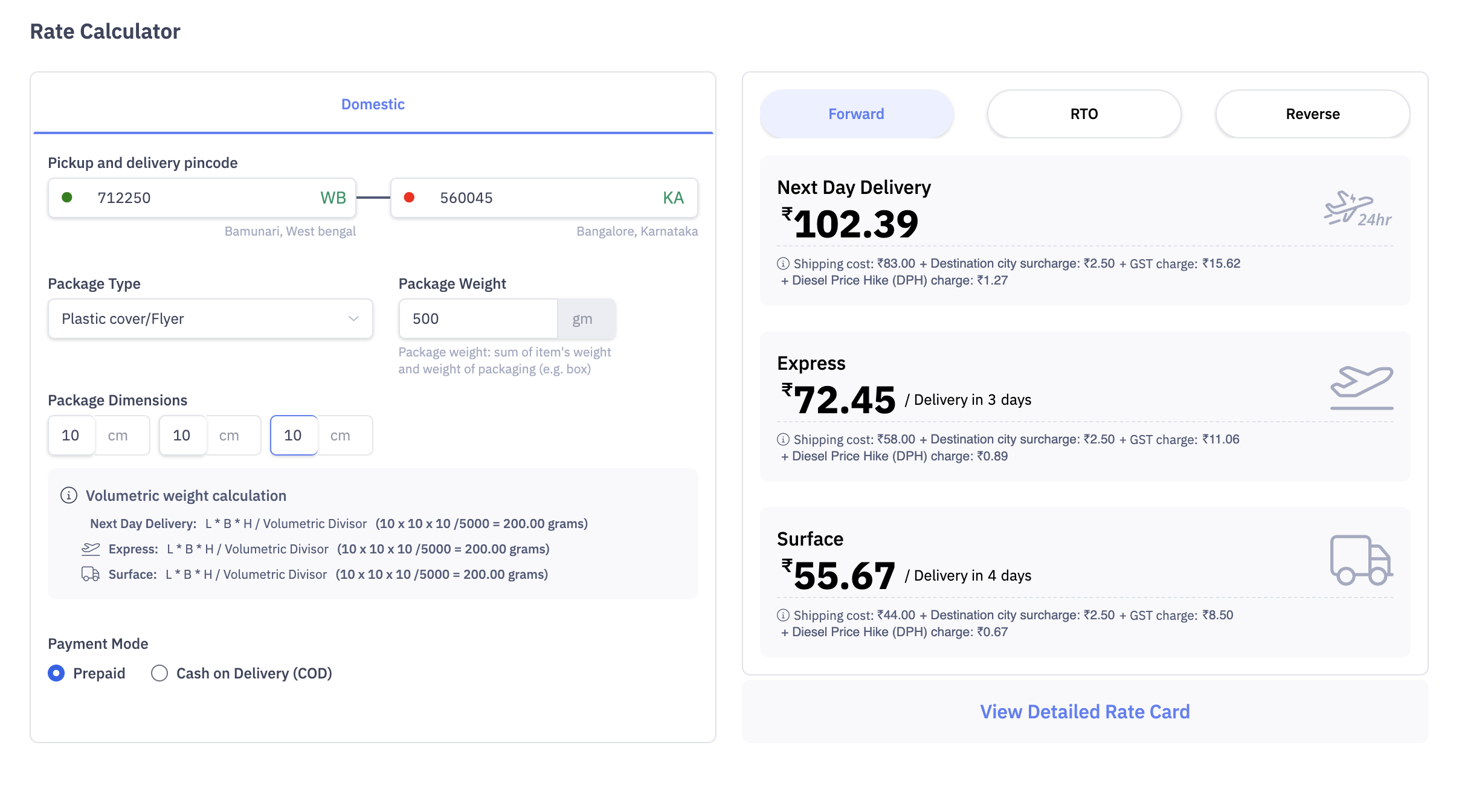
- NDD pricing will be visible in the Freight Estimator and order creation flow (if origin-destination is serviceable).
How to create an NDD shipment
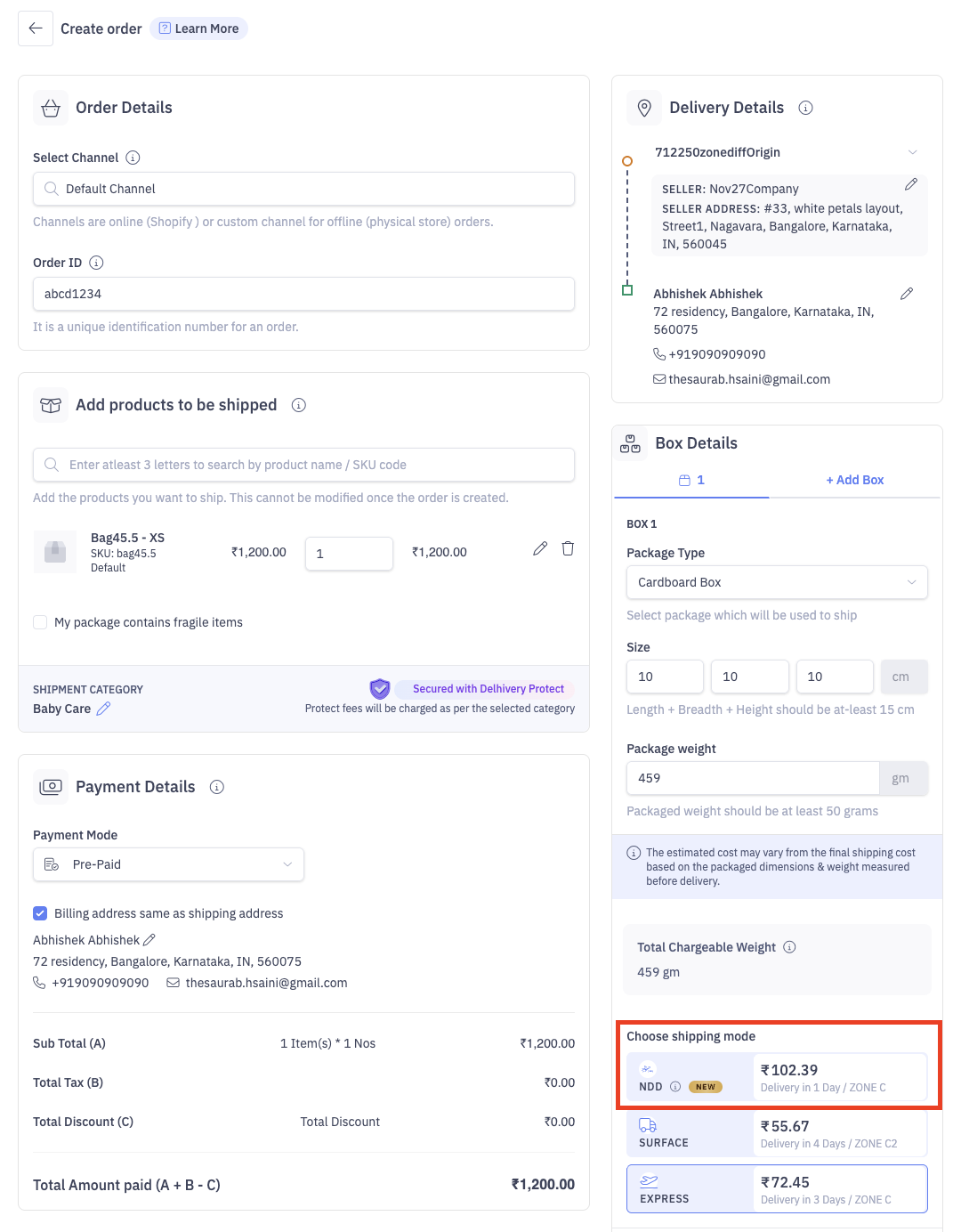
Create via UI
- Start creating an order as usual.
- Enter pickup and delivery pincodes.
- If the route is eligible, Next Day Delivery (NDD) will appear as a selectable option.
- Select NDD and review the freight and surcharges.
- Complete the order.
Create via Bulk Upload
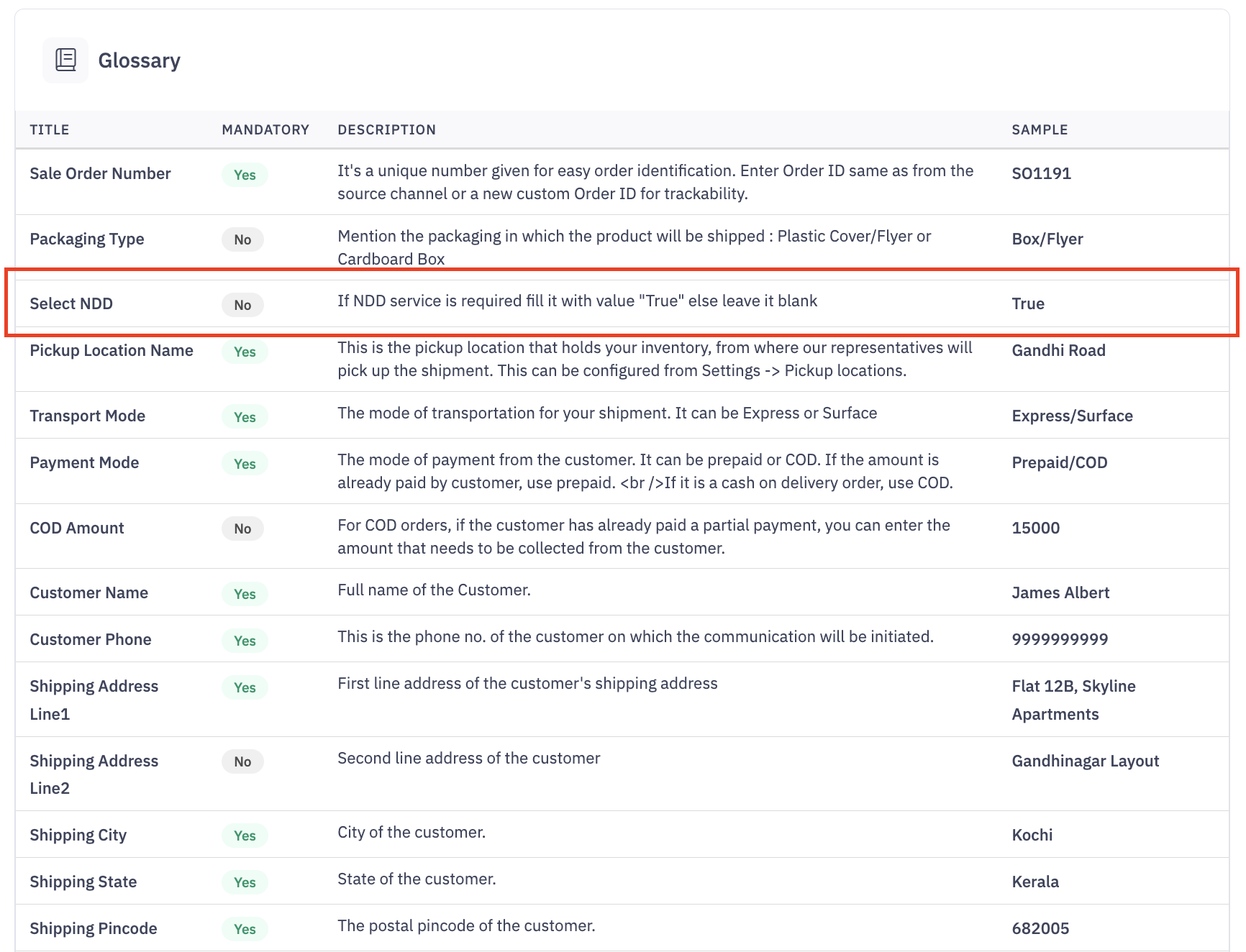
NDD can also be selected during bulk order upload for eligible shipments. While uploading bulk csv file ensure Column: "Select NDD" is filled with value "True" to make shipment eligible for NDD.
Pricing & charges
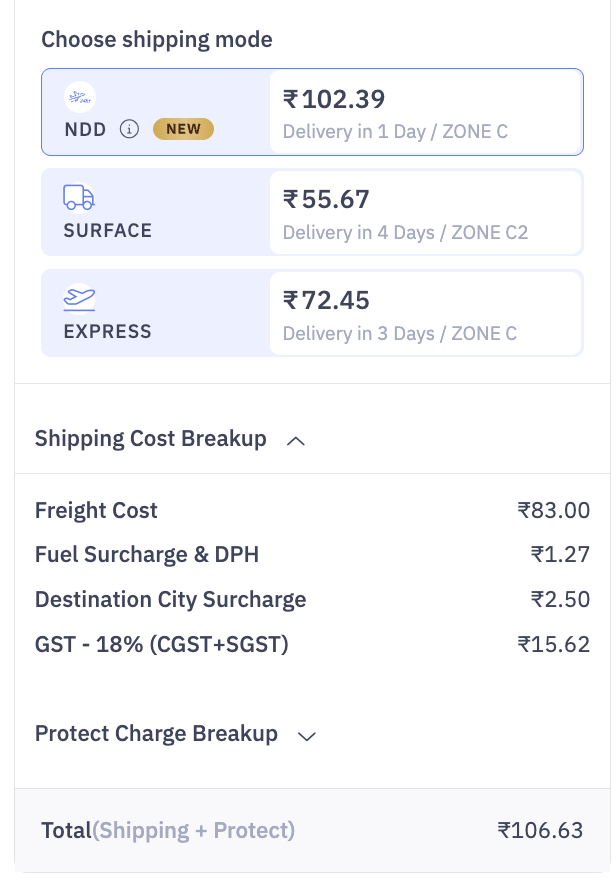
- NDD is charged as the base freight.
- Pricing depends on:
- Origin and destination pincode
- Shipment weight and size
NDD charges are clearly shown:
- During order creation
- In AWB details
- In wallet transactions and invoices
How to check NDD availability & rates
You can check NDD availability and pricing using the Freight Estimator on Delhivery One.
- Enter origin and destination pincodes.
- Select shipment details.
- Choose Next Day Delivery (NDD) to view updated pricing.
When NDD may not be available
NDD may not be available if:
- Your account is not eligible or not activated
- The origin or destination pincode is not serviceable for NDD
- The order is created after the pickup cut-off time
- The shipment type or mode is not supported
You will see an on-screen message if NDD is unavailable for a route.
Frequently Asked Questions
- Is NDD available for all shipments?
No. NDD is available only for eligible clients and serviceable routes. - Can I switch an order from NDD to another service?
Yes, before manifestation and subject to route eligibility. - Is NDD available for returns or reverse shipments?
Currently, NDD is supported only for forward shipments.
Need help?
If you need assistance:
- Contact your Delhivery Account Manager, or
- Reach out to Customer Support via the Help section on Delhivery One.