SmartNDR
SmartNDR is an AI-powered NDR automation service available on the Delhivery One platform. Using this service, you can automate the resolution of Non-Delivery Reports (NDRs) through WhatsApp, AI-powered calls, FE call insights, and Delhivery's proprietary RTO scoring.
By resolving NDRs faster and improving consignee response rates, SmartNDR helps reduce COD RTO and improve delivery success rates.
Based on these inputs, SmartNDR can automatically recommend a reattempt, apply verified NDR outcomes, or resolve the case without requiring manual intervention.
SmartNDR does not automatically return shipments. The only exception is when the consignee confirms cancellation through an OTP-verified response. In all other cases, SmartNDR provides return recommendations, and the final decision to return the shipment remains with the client.
In this article you will learn
- What is SmartNDR?
- How to Activate SmartNDR?
- How does SmartNDR work?
- Where can you activate this service from?
- What’s the pricing for SmartNDR?
- What can I view in the SmartNDR dashboard?
What is SmartNDR?
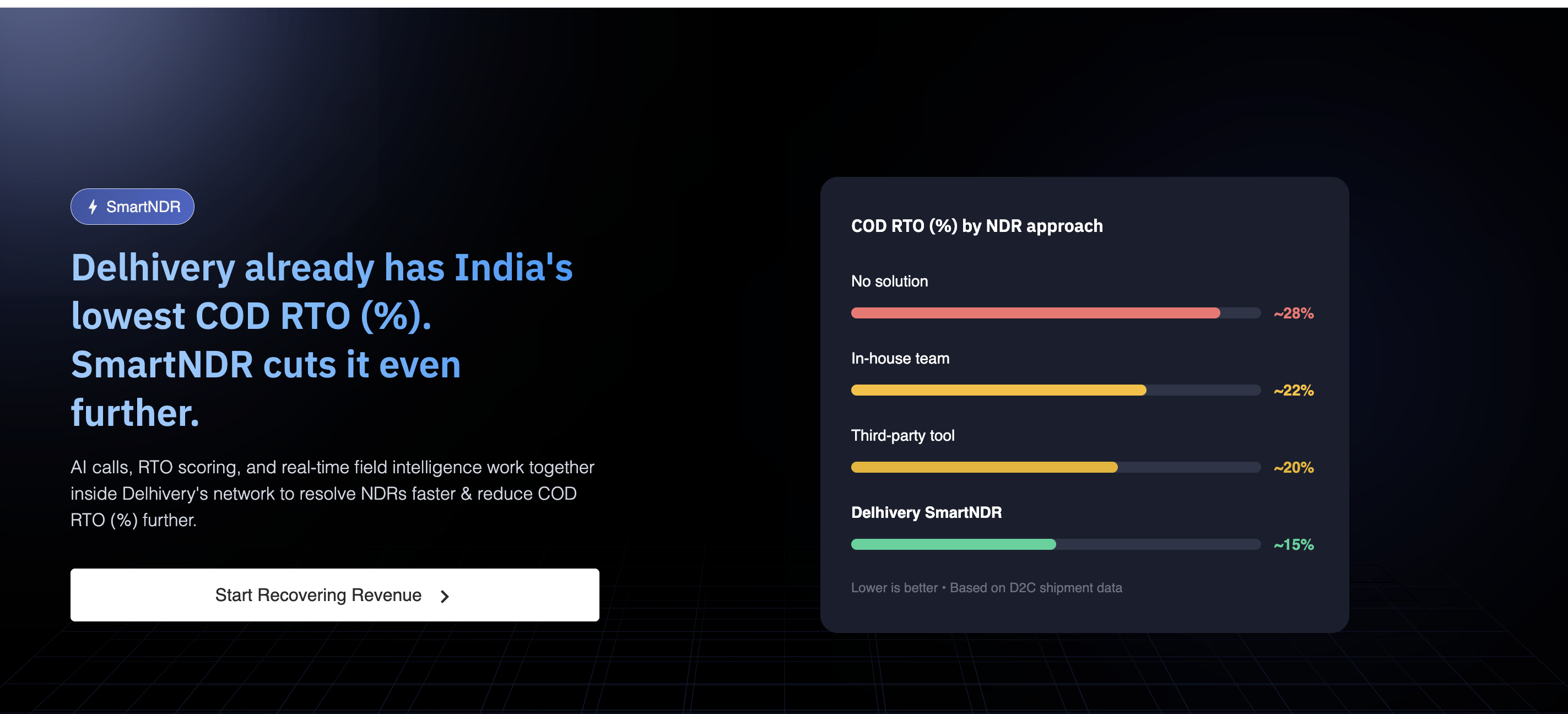
SmartNDR is an NDR automation service built directly into Delhivery's delivery network.
Unlike third-party NDR solutions, SmartNDR has access to delivery executive call insights, RTO risk scores, geofence information, and real-time shipment data. This allows SmartNDR to automatically resolve a significant portion of NDR cases without manual intervention.
Key benefits of SmartNDR:
- Faster NDR resolution through WhatsApp and AI-powered calling.
- Higher consignee response rates compared to traditional NDR management approaches.
- Reduced COD RTO through faster verification and reattempt decisions.
- Complete visibility with geofence data, call recordings, and WhatsApp confirmations.
- Zero integration and zero operational effort.
Clients have observed an average 2–4% reduction in overall RTO% and a 6–10% reduction in COD RTO%.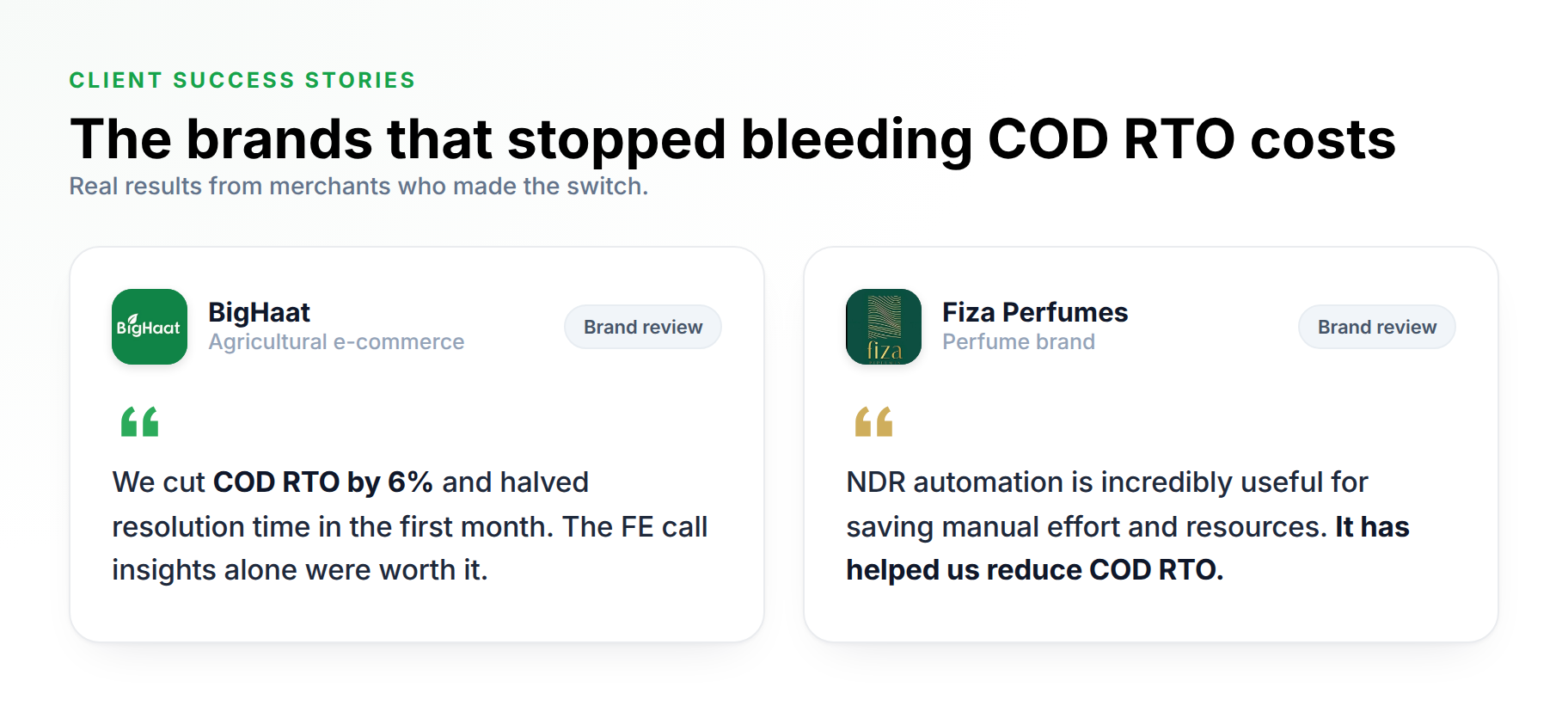
How to Activate SmartNDR?
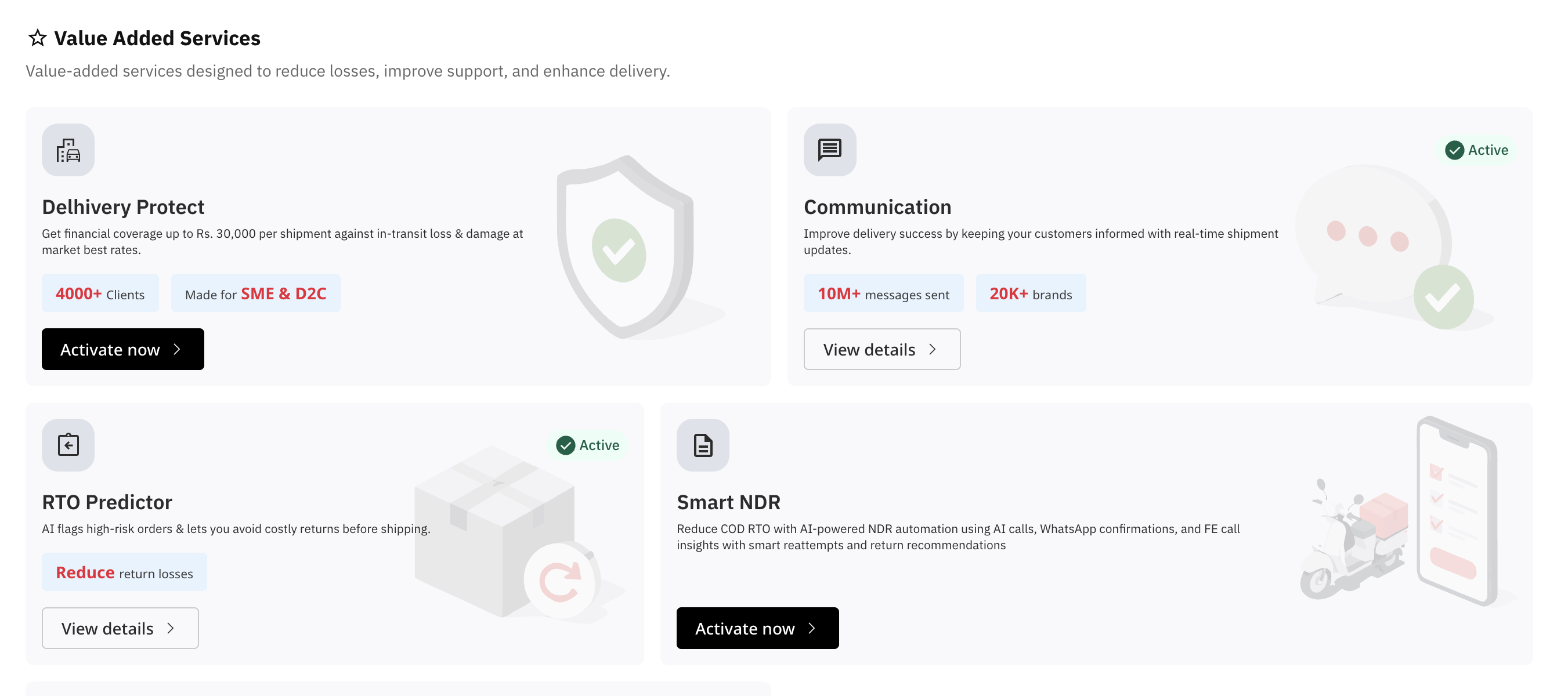
- Go to the Services page.
- Under Value Added Services, you will see SmartNDR.
- Open the SmartNDR service details page and click Activate Now.
- After clicking Activate Now, review the Terms & Conditions and accept them.
- Once activated, all shipments on which eligible NDR NSLs are applied after the activation date will become part of the SmartNDR workflow, irrespective of when the shipment was manifested or picked up.
Example: If a shipment (WBN) was picked up on 5 July, and SmartNDR was activated on 7 July, then if an eligible NDR NSL is applied to that shipment on 8 July, the shipment will be included in the SmartNDR workflow, even though it was picked up before the activation date.
How does SmartNDR work?
SmartNDR currently supports the following NDR types:
- Delivery date rescheduled
- Consignee refused to accept/order cancelled
- Consignee unavailable
- Consignee will collect from branch
- Customer asked for open delivery
Once an eligible NDR is raised, SmartNDR automatically starts processing the case.
Step 1: Automated Resolution
Within the first 90 minutes, SmartNDR attempts to resolve the NDR using:
- WhatsApp responses from the consignee
- FE call insights, where AI categorizes the NDR remark as Fake or Genuine
- Delhivery's RTO scoring engine
Based on these inputs, SmartNDR can automatically recommend a reattempt, apply verified NDR outcomes, or resolve the case without requiring manual intervention.
Step 2: AI Calling
If the case remains unresolved after 90 minutes, SmartNDR triggers an AI call to the consignee.
The AI call will:
- Verify the NDR remark
- Capture delivery intent
- Identify whether the consignee wants the shipment
- Update the preferred delivery date
Up to 3 call attempts are made with a 2-hour interval between attempts.
Currently supported languages:
- English
- Hindi
Step 3: Reattempt or Closure
Once the consignee response is received, SmartNDR updates the shipment and enables the appropriate next action, such as reattempting the delivery or recommending a return.
Where can you activate this service from?
To activate SmartNDR:
- Navigate to Services > Value Added Services > SmartNDR.
- Review the service details and pricing.
- Read and accept the Terms & Conditions.
- Click Activate.
Once activated, SmartNDR will automatically process all eligible NDR cases for your account.
To deactivate the service, navigate to the same page and click Deactivate.
What’s the pricing for SmartNDR?
SmartNDR is charged on a per-NDR basis.
- ₹5 per NDR attempt .
- No setup fees.
- No subscription charges.
- No minimum commitment.
You are charged only for shipments with an active NDR that are processed through SmartNDR.
What can I view in the SmartNDR dashboard?
The SmartNDR dashboard provides complete visibility into NDR resolution activities and outcomes.
Using the dashboard, you can:
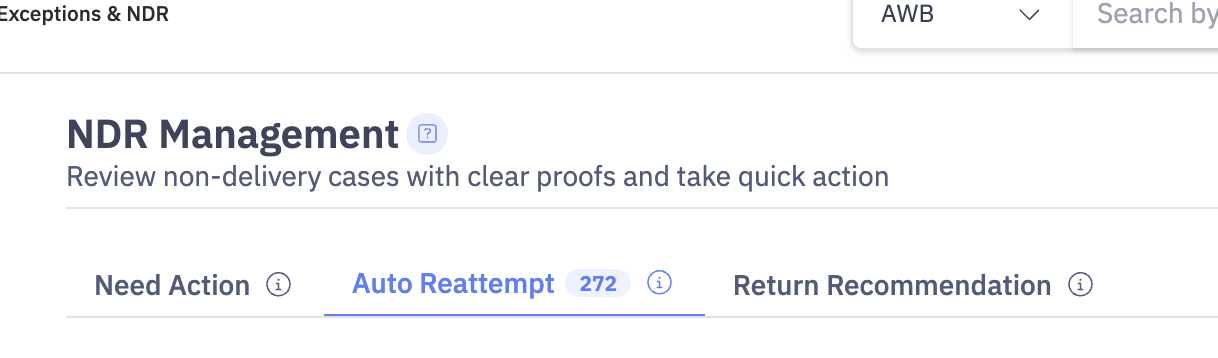
- View NDR cases categorized as Need Action, Auto Reattempt, and Return Recommendation.
- Access AI call recordings and FE call recordings.
Post-NDR Call: This is the AI call made to the consignee to verify the NDR remark. You can view the call timestamp, call duration, AI-generated summary, and call insights, including whether the NDR remark was verified or not verified based on the consignee's response.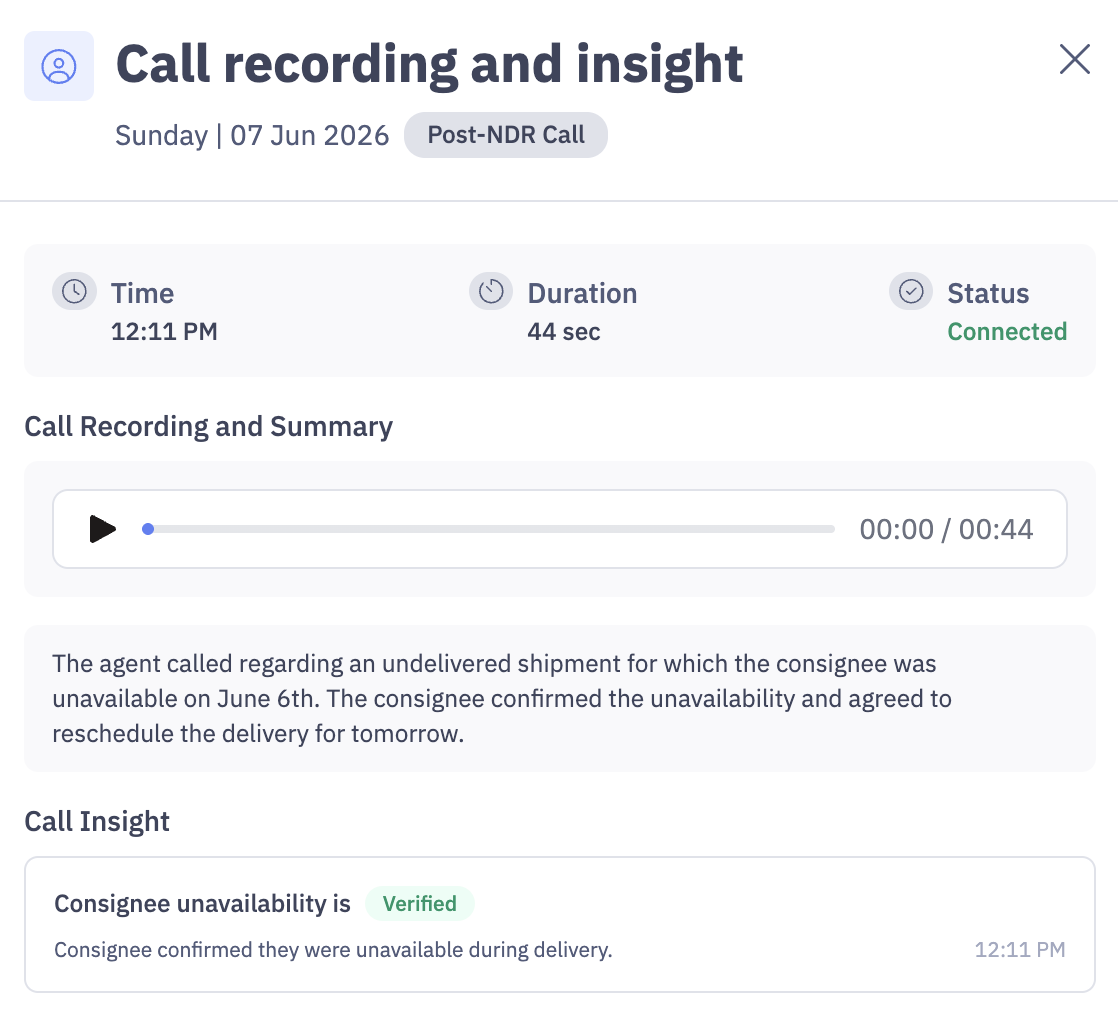
Pre-NDR call : This is the call between the Delivery Executive (FE) and the consignee before an NDR is raised (Failed delivery attempt). You can view the call recording, call duration, and whether the NDR remark was verified or not verified based on the conversation.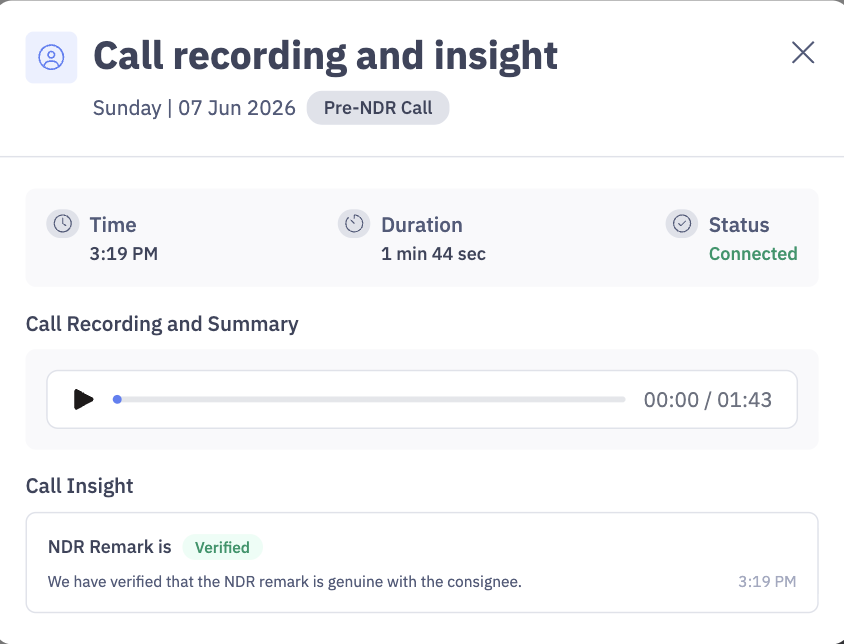
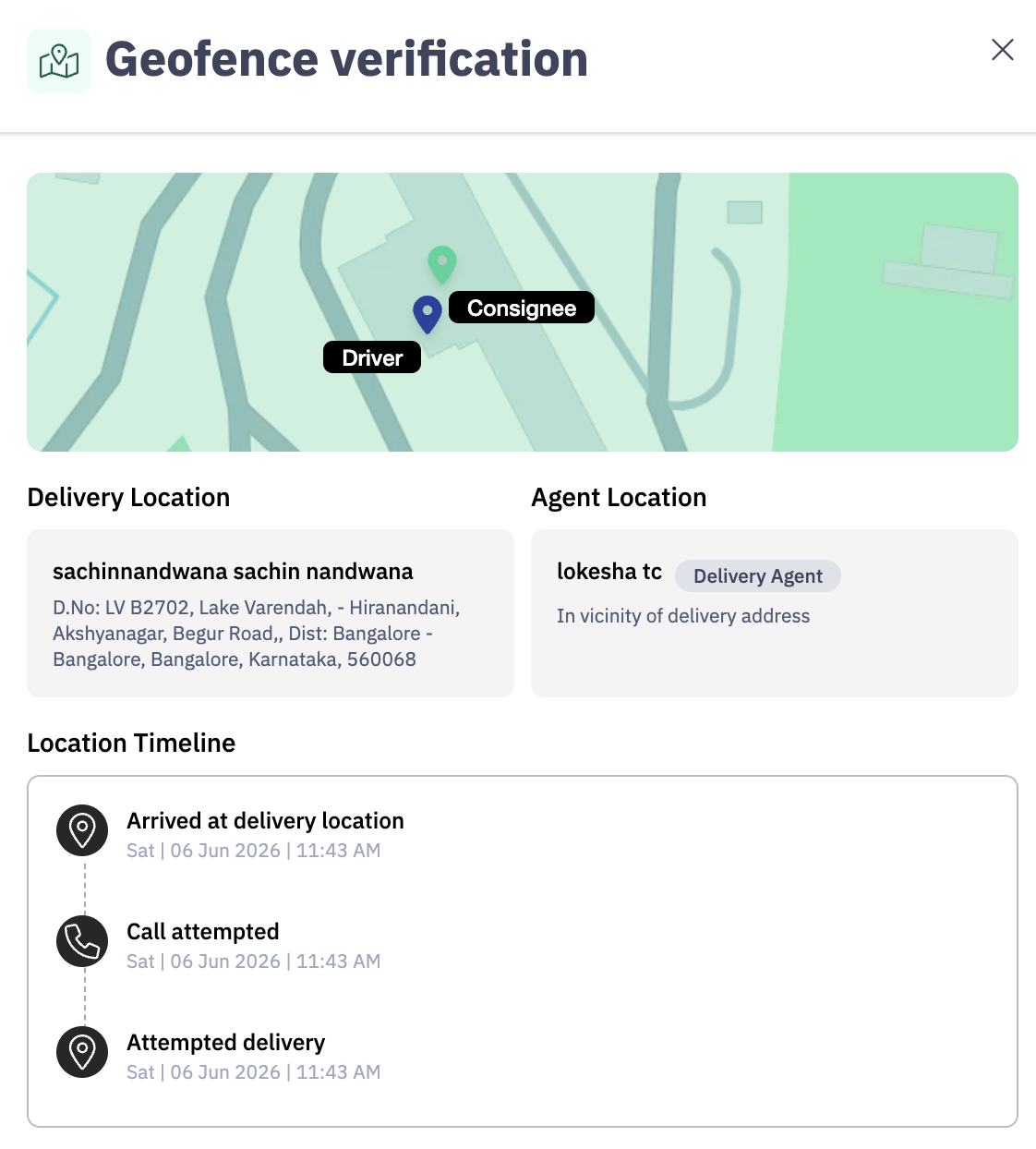
- View geofence proof associated with delivery attempts. You will be able to see the timestamp of the delivery attempt, along with the exact locations of both the consignee and the delivery executive.
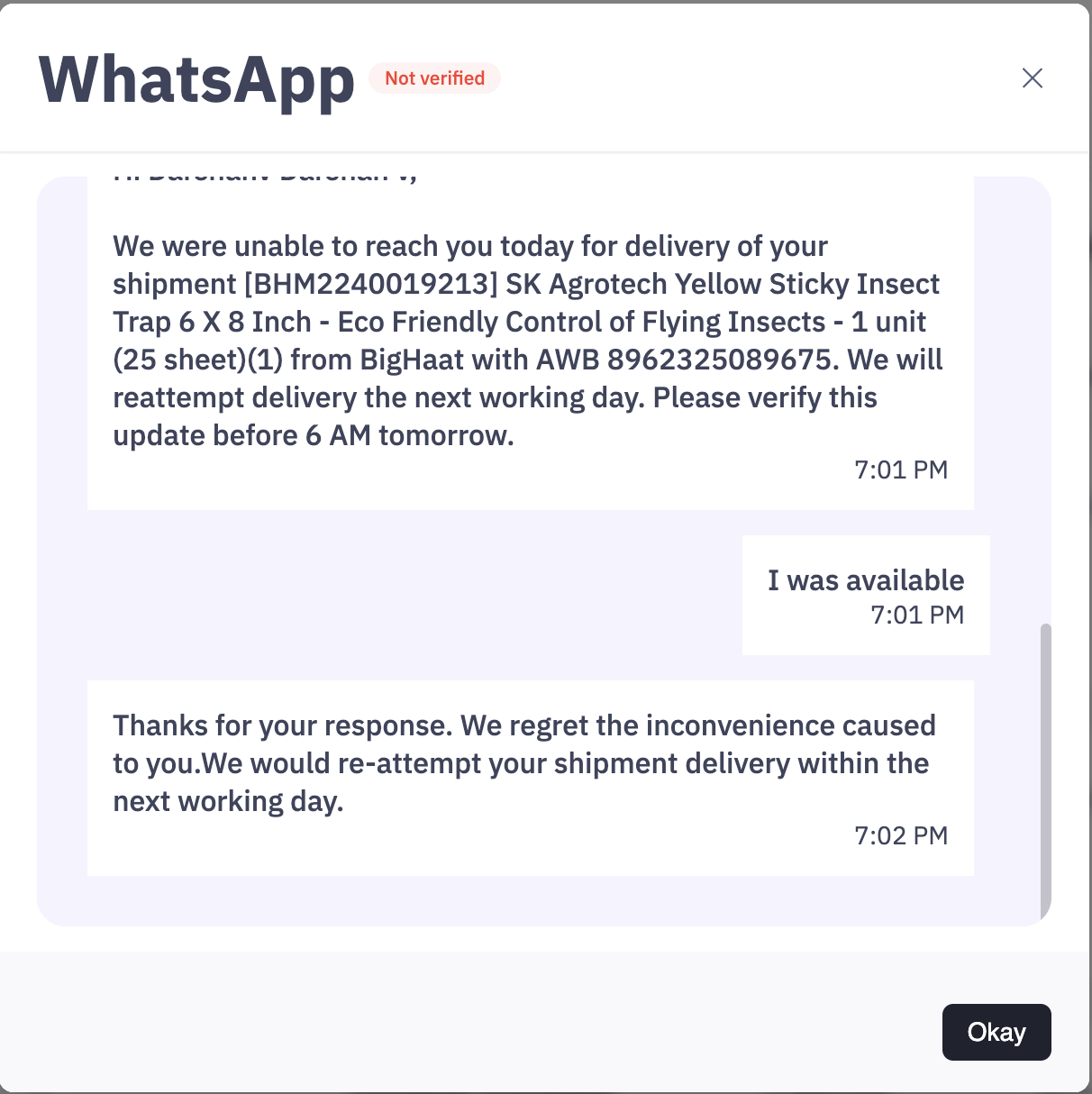
- Review WhatsApp confirmations from consignees.
- Track call attempts and call outcomes.
If the call has been attempted by the delivery executive adn the consignee has not picked the call you will be able to view the same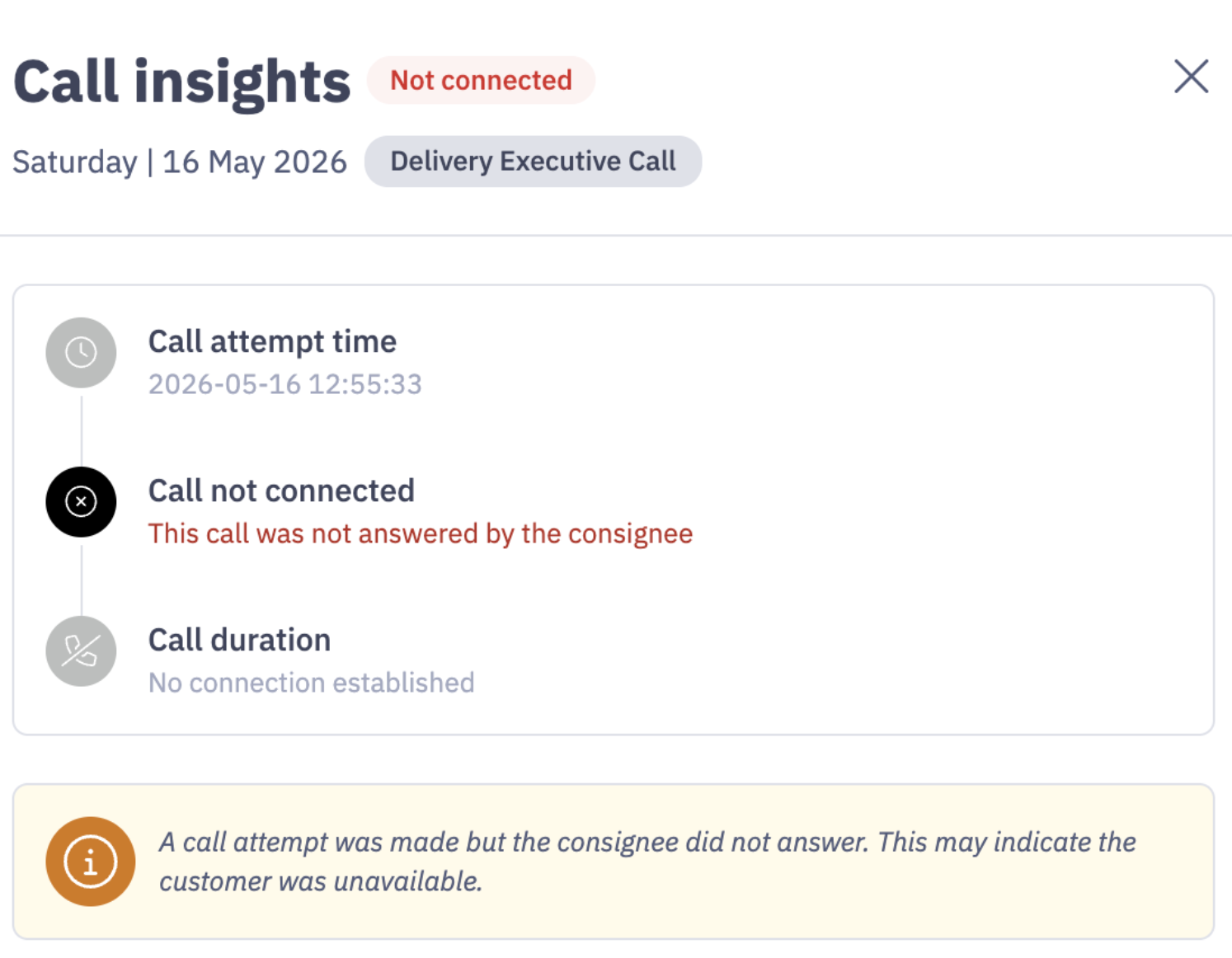
Track call attempt made for NDR shipments by the delivery executive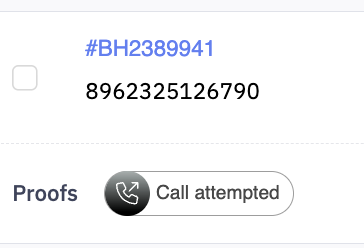
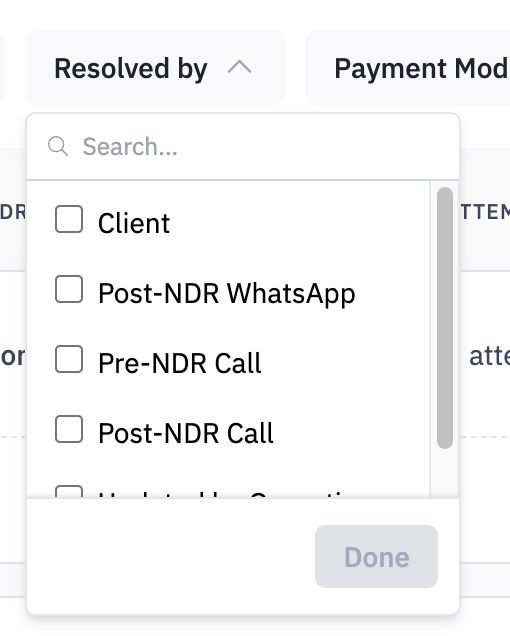
- Filter cases based on proof availability, attempt count, payment mode, and resolution source.
Post-NDR WhatsApp: This is the WhatsApp message sent to the consignee after an NDR is raised. Based on the consignee's response, the NDR remark is verified and the appropriate action is taken.
Pre-NDR Call: This is the call between the Delivery Executive (FE) and the consignee before the NDR is raised. AI analyzes the call recording and determines whether the NDR remark is verified or not verified based on the conversation.
Post-NDR Call: This is the AI call triggered to the consignee after an NDR is raised. During the call, AI verifies the NDR remark and captures the consignee's delivery intent, including when they would like the shipment to be delivered.
Client: These are cases where the client has taken an action from the panel, such as initiating a reattempt or recommending a return.
Updated by Operations: These are cases where the Operations team has taken action on the shipment, such as adding it to the next dispatch cycle or reattempting the delivery.
The SmartNDR dashboard is designed to provide complete transparency and help you make faster decisions on NDR shipments.