As per GST compliance, if you are shipping to a different state, it is mandatory to have valid GST details on label-cum-invoice. Add your GST in a few simple steps to avoid delays and enjoy hassle-free, on-time shipping.
Note : This update is only for users who have a PAN number and want to add or update their GST details. If you want to make changes to existing GST details, please raise a support ticket with CS.
How to add/update your GST on Delhivery One:
1. Log in to Delhivery One Panel
2. Click on Settings option in the Side navigation 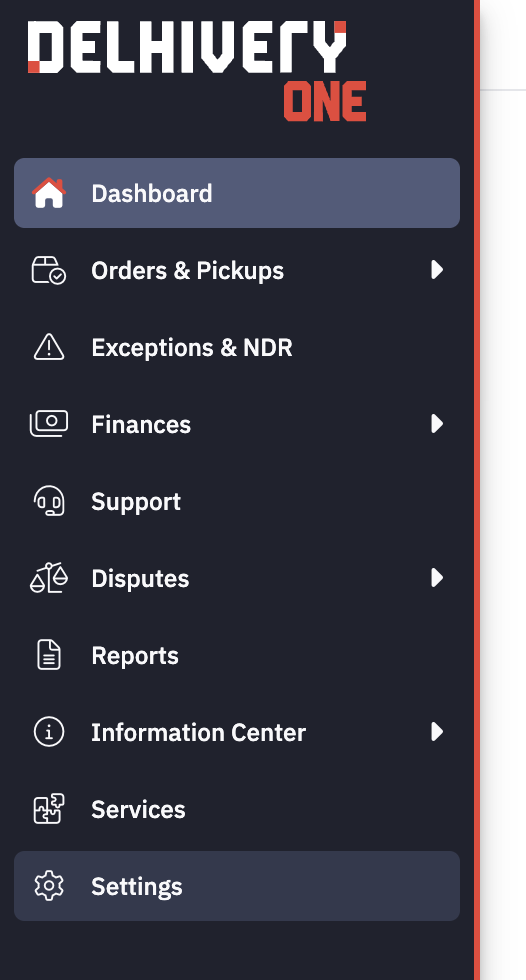
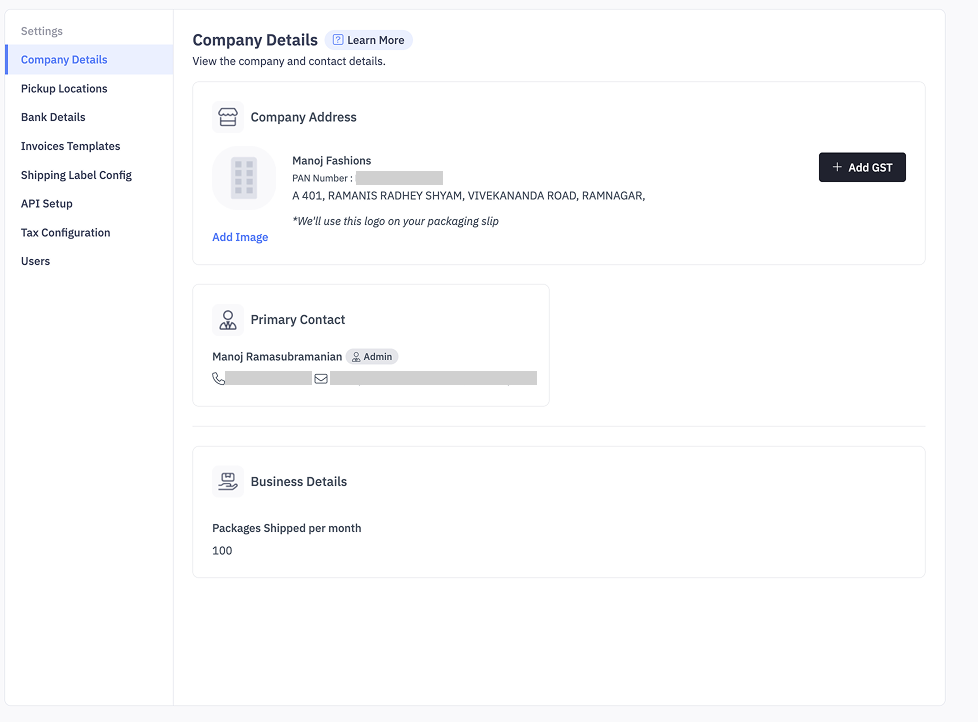
3. Go to Company Details tab
4. Click on Add GST button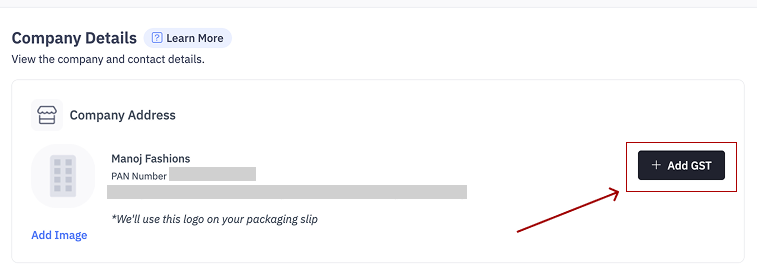
5. Ensure the GST number entered matches the PAN card details. This is required for compliance, as the owner’s PAN must be associated with the business GST.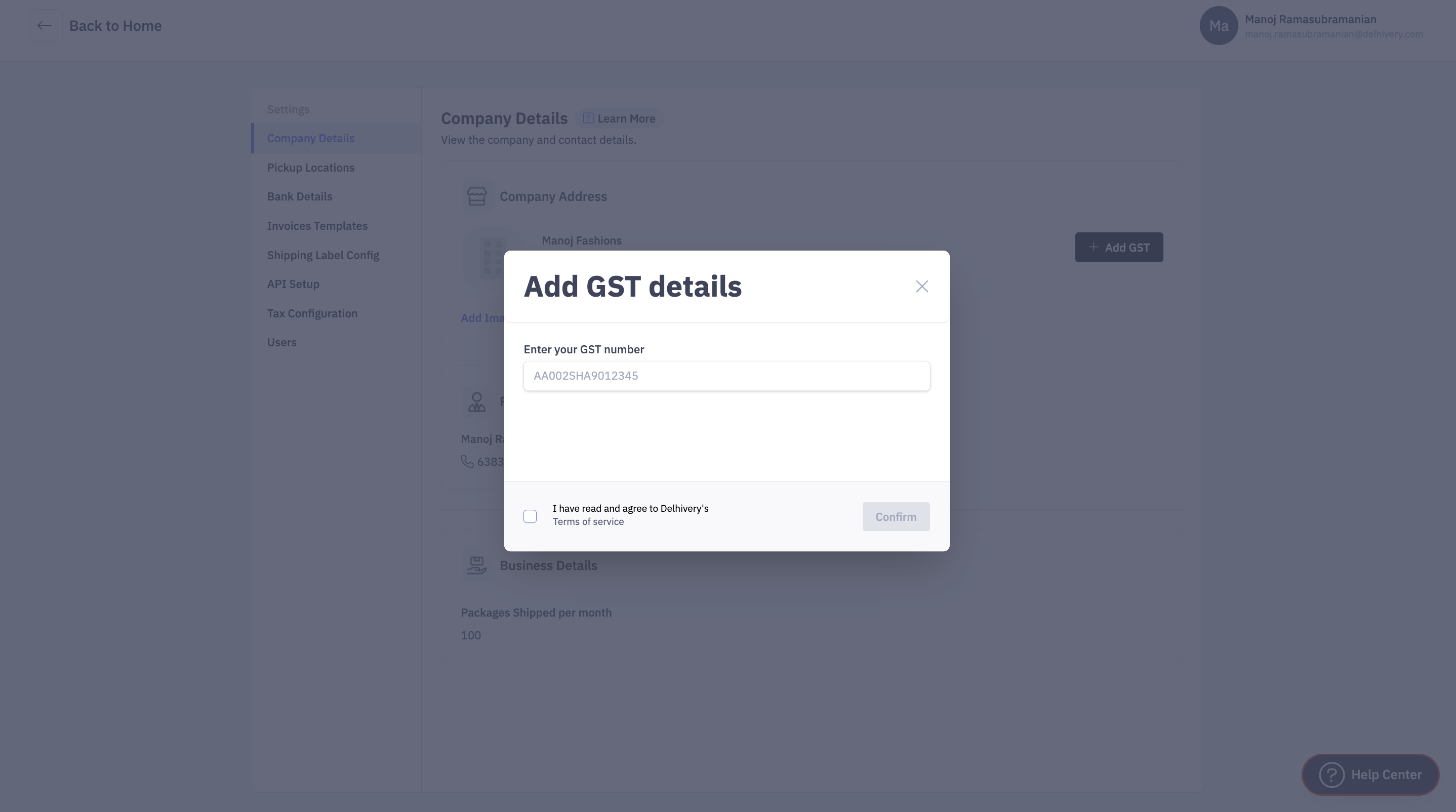
Once updated, the GST will be printed on your shipping label-cum-invoice, ensuring compliance and smoother movement of shipments.